Support
Part of Business software installation and licences
Tracking who uses each paid application: users and seats
Reconcile software users, assigned licences and purchased quantities so each paid seat has a clear owner and decision.
Keep a named record for each paid application, including who is assigned access and how many seats the business pays for. Reconcile the record with assignment details and the subscription or invoice before changing access. A licence assignment records an entitlement, not proof of recent use.
Build a user-to-application record
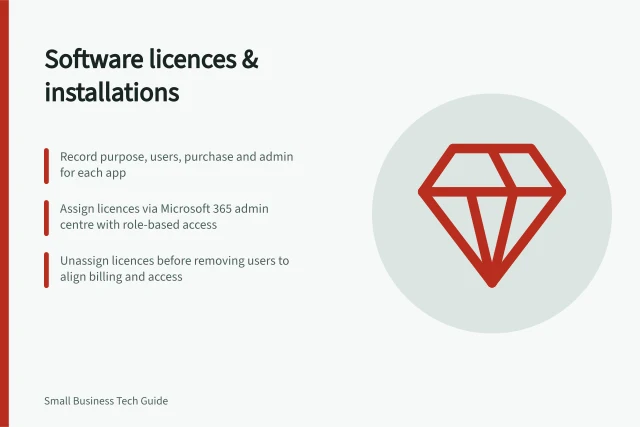
Create one record per paid application, including browser services and installed software. Record the exact product and plan, seller, billing owner and purchased quantity.
Name each user or authorised group, the work that needs access and the approver. Keep temporary workers and supplier accounts visible, but do not store passwords or recovery codes.
Field / Question it answers
- User or group and role
- Whose access needs review?
- Product and plan
- Which entitlement is involved?
- Assignment and business need
- Is access assigned, and is it still needed?
- Purchased quantity and term
- What is the business paying for?
- Last check and owner
- Who confirmed the record, and when?
An invoice contact is not necessarily a product user. An installed app does not prove that a paid licence is assigned.
Reconcile access and purchase records
Compare the named-user record with the supplier’s assignment view and the subscription or invoice. Investigate differences before removing access; someone on leave or a paused project may still need a seat. Group assignments and failed assignments can make a simple user count misleading.
In the Microsoft 365 admin centre, licences can be assigned or unassigned on the Active users page or the Licenses page. For the product-based route, go to Billing > Licenses, select a product, then select Assign licenses to add users or groups.
Check the assignment outcome: Microsoft 365 displays a status message if there is a problem completing an assignment. For other products, compare the named users with the supplier’s assignment view.
For an apparent spare seat, ask the work owner whether access is still needed and whether files, mail or scheduled work depend on the account.
Record whether the decision is to keep, reassign or remove the licence. Check the effect on the user’s work before acting.
Check the bill after the access change
Confirm the assignment change in the administrator view, then check purchased quantity separately. In Microsoft 365, unassigning a licence does not automatically reduce the quantity bought; first unassign licences so that not all are assigned, then remove licences from the subscription.
If the subscription was bought through a Microsoft representative, contact them directly to increase or reduce the licence count. Record the request, its effective date and the next relevant invoice.
Repeat the reconciliation after role changes and before renewal. Give each unresolved difference an owner and decision date.