Account Security
Part of Small business IT continuity
Keeping emergency access to critical business accounts
Identify critical accounts, arrange secure provider-supported recovery and control how emergency access is used and checked.
Emergency access lets an authorised person regain a critical business account when the usual administrator, device or sign-in method is unavailable. Identify accounts that control essential work. Establish each provider's supported recovery route while access still works, and check that the route survives the failure it is meant to cover. Protect emergency credentials and record their use.
Identify the accounts and dependencies
Start with business email, identity administration, domain registration, backup administration and applications holding essential work. For each, record the business owner, current administrators, sign-in methods, recovery contacts and supplier procedure. Ask what would happen if the usual administrator's phone and laptop were both unavailable.
Keep this register separate from passwords, recovery codes and security keys. The register should tell authorised staff where to find the procedure and who holds protected material without exposing the material itself.
What the critical account register should record
- The business owner of each critical account
- Current administrators for that account
- Sign-in methods in use, including authentication devices
- Recovery contacts held with the provider
- The supplier's recovery procedure and support route
- Who holds protected material and where the procedure liveskept separate from passwords, recovery codes and security keys
Prepare the supported route
A lost authentication device, an absent administrator and a provider outage can require different responses. Add an approved second sign-in or recovery method where the service permits it. Check whether a recovery email or phone will remain available if the primary account is locked.
Where a service offers one-time backup codes, store them as credentials and follow that service's rules for use and replacement. Do not assume the same option exists in a business tenant or another service.
For administrator access, follow the provider's specific design. Microsoft Entra ID guidance is to create two or more emergency access accounts in your organisation. These accounts carry the Global Administrator role and are for emergency or "break glass" scenarios when normal administrative accounts can't be used.
Check the exact product, plan and administrator policy before creating privileged access.
Do not disable multi-factor authentication for everyday users to simplify recovery. Keep emergency access limited to authorised people and visibly exceptional.
Preparing a supported route while access still works
- Add an approved second sign-in or recovery method where the service permits it
- Check that the recovery email or phone stays available if the primary account is locked
- Store one-time backup codes as credentials and follow that service's rules for use and replacement
- For administrator access, create two or more emergency access accounts carrying the Global Administrator role, for emergency "break glass" scenarios
- Check the exact product, plan and administrator policy before creating privileged access
- Do not disable multi-factor authentication for everyday users to simplify recovery
Control use and return
State who may authorise emergency access, how that person's identity is checked, who retrieves the credential or device and what they may do. Include a reachable supplier support route if the organisation cannot recover access itself. Record the reason, time, person, account and changes made.
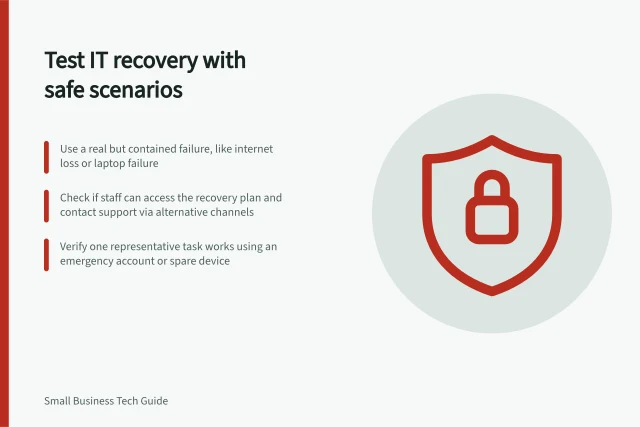
After use, review the activity, replace any exposed secret under the provider's procedure, return protected material and confirm that normal named access works. Arrange a controlled validation before relying on the route.
An authorised person can confirm access to the instructions and perform a permitted sign-in or supplier-supported check without making unnecessary live security changes. Record what was checked and what still depends on provider support. Review the route when an administrator leaves, an authentication device changes or a supplier changes its recovery process.
Controlling use of emergency access, and returning to normal
- State who may authorise emergency access, and how that person's identity is checked
- Record who retrieves the credential or device, and what they may do with it
- Keep a reachable supplier support route for situations the organisation cannot recover itself
- Log the reason, time, person, account and changes made
- Review the activity afterwards and replace any exposed secret under the provider's procedure
- Return protected material and confirm normal named access works
- Run a controlled validation before relying on the route
- Review the route when an administrator leaves, an authentication device changes or a supplier changes its recovery process