Devices
Part of Business phone and communication hardware
Choosing headsets for a busy office
Choose a headset for the length and setting of the call, not just its advertised noise-cancelling label. The user must hear clearly, the other person must …
Choose for the length and setting of calls, not just an advertised noise-cancelling label. The wearer needs to hear clearly, callers need to understand them, and the headset should stay comfortable during normal work.
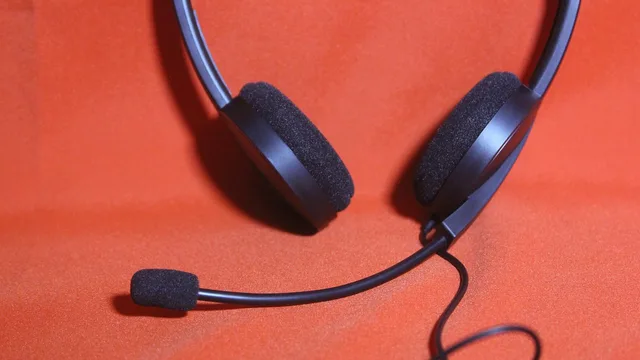
A single-ear headset can suit staff who need to hear colleagues; a dual-ear headset can suit roles where isolation matters. Check comfort with glasses, microphone position, sidetone and volume, and whether wireless coverage reaches the workstation.
Microphone noise cancellation and active noise cancellation (ANC) address different needs: a noise-cancelling microphone is intended to keep the wearer’s voice clear, while ANC is in the ear cups. Microsoft Open Office Certification tests headsets for clear voice and blocking nearby distractions.
For all-day call-centre use, the Jabra Evolve2 40 has a noise-cancelling microphone and is described as comfortable for full-day wear. It connects by USB-A or USB-C depending on the variant, has no 3.5 mm jack, and costs about $180 AUD.
For staff who split time between the office and home, the Poly Voyager Focus 2 connects by Bluetooth or USB and is listed at about $280 AUD. Its microphone quality is rated excellent in the Australian office-headset comparison.
For high-volume call environments, the Jabra Engage 75 Stereo uses DECT wireless and is listed at about $450 AUD, with outstanding microphone quality. Consider it when wireless use and call volume matter more than a low purchase price.
The Yealink YHS36 is a desk-phone budget option with a QD-to-RJ9 connection and good microphone quality. Check the Mono or Dual and YHS36 or YHS36 E2 variant, and verify the current Australian price for that version.
For occasional softphone calls, the Logitech H390 is a USB-A option listed at about $45 AUD, with adequate microphone quality. The Sennheiser PC 8.2 is another USB-A budget softphone option, listed at about $60 AUD, with good microphone quality.
Confirm the exact headset variant and calling platform before ordering. For desk phones, RJ9 compatibility is phone-model-specific; check the manufacturer’s compatibility list and any required cable or adapter. In Webex App, select the desk phone under Calling if calls should go through that phone rather than My Computer.
Wireless headsets let staff move around after answering, but answering calls away from the desk requires an additional accessory. Confirm that the phone and headset support the accessory if one-touch answering matters.
Trial a headset during a busy period: have the caller read ordinary names and numbers while background conversation continues, then ask the person at the other end what was lost or distorted. Check comfort after extended wear, including with glasses, and whether the battery lasts through the work period.
Microsoft’s Call Quality Dashboard guidance, “Use CQD to manage call and meeting quality in Microsoft Teams”, notes that microphones, speakers and supporting audio, USB and Wi-Fi drivers can affect call quality. Consider these device factors alongside headset fit rather than blaming the headset for every poor call.
Before buying, ask the supplier about supported firmware and the replacement process.
Key Headset Features and Requirements for Australian Offices
- Microsoft Open Office Certification
- Tests clear voice and distraction blocking – ensure headset meets this standard
- Battery Life for Wireless Use
- Ensure battery lasts through full work period; critical for mobile staff
- Support for Firmware Updates
- Confirm supplier supports firmware updates and replacement processes
Pre-Purchase Checklist for Office Headsets in Australia
- Confirm headset variant and calling platform (e.g., Teams, Webex, desk phone)
- Check microphone quality: noise-cancelling vs ANCMic cancellation clears voice; ANC reduces ambient noise in ear cups
- Test comfort with glasses and extended wearEssential for all-day use in call centres
- Verify wireless connectivity (Bluetooth, DECT) and coverageEnsure signal reaches workstation without dropouts
- Trial during a busy period with background noiseHave caller read names/numbers while others talk; assess clarity at the other end
- Review driver and software support (USB, Wi-Fi, Teams, Webex)Poor drivers can degrade call quality even with good hardware